
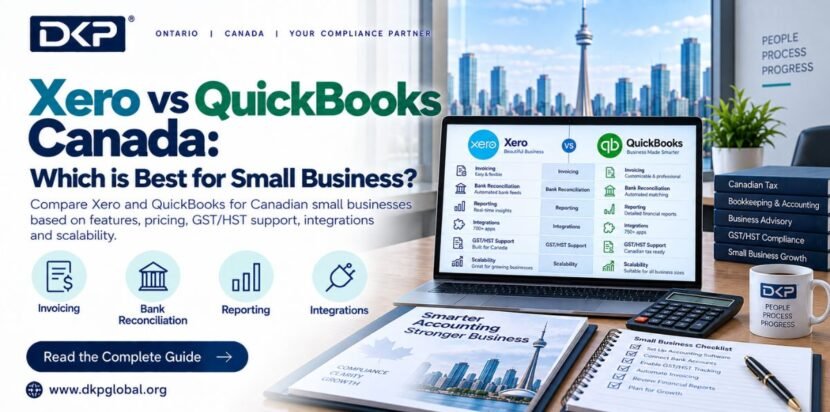
Xero and QuickBooks Online are the two leading cloud accounting platforms for Canadian small businesses. Both support HST/GST tracking, Canadian bank feeds, payroll, and CRA compliance. Xero is better for service businesses and non-accountants cleaner interface, easier bank reconciliation. QuickBooks Online Canada is better for retail, inventory-heavy businesses, and those who want more built-in reporting templates. DKP Global is certified in both and recommends Xero for most Canadian small businesses and Indian immigrant entrepreneurs.
In This Guide:
- 1. Why Cloud Accounting Software Matters for Canadian Businesses
- 2. Xero vs QuickBooks — Head-to-Head Comparison
- 3. Xero Canada — Features, Pricing & Pros/Cons
- 4. QuickBooks Online Canada — Features, Pricing & Pros/Cons
- 5. Which is Better for Your Business Type?
- 6. Alternatives — Wave, FreshBooks & Sage
- 7. Xero vs QuickBooks for Indian Immigrant Business Owners
- 8. How DKP Global Uses Both Platforms
- 9. Our Recommendation — The Final Verdict
- 10. Frequently Asked Questions (10 Q&As)
1. Why Cloud Accounting Software Matters for Canadian Businesses
Canadian small businesses have specific accounting software requirements that differ from other countries: CRA-compliant HST/GST tax codes, Canadian bank feed connections (RBC, TD, BMO, Scotiabank, CIBC, Wealthsimple), T4 and T2 filing integration, and payroll deductions calculated to Canadian CPP/EI rates. Generic international accounting software often falls short on one or more of these requirements.
Both Xero Canada and QuickBooks Online Canada are purpose-built for the Canadian market with full HST/GST/PST tax code support, direct bank feeds from all major Canadian banks, integrated Canadian payroll, and GIFI code support for T2 preparation. The question is not which one supports Canada both do. The question is which one fits your business type, your technical comfort level, and your accountant’s workflow better.
DKP Global has worked with hundreds of Canadian businesses across BC, Ontario, and Alberta on both platforms. Our certified team uses both Xero and QuickBooks daily and we have clear opinions on which situations call for which platform. Here is our honest comparison.
2. Xero vs QuickBooks — Head-to-Head Comparison
| Feature | Xero Canada | QuickBooks Online Canada | DKP Verdict |
| Pricing (2026) | Starter $20/mo | Standard $35/mo | Premium $47/mo | Simple Start $20/mo | Essentials $35/mo | Plus $48/mo | Advanced $90/mo | Tie — similar pricing at equivalent tiers |
| User interface | Clean, modern, intuitive — easy for non-accountants | Feature-rich, more complex — steeper learning curve | Xero wins for non-accountants |
| Bank feeds | Excellent — all major Canadian banks, automatic daily import | Excellent — all major Canadian banks, fast import | Tie — both reliable |
| HST/GST tracking | Full Canadian tax codes — HST, GST, PST BC, QST Quebec | Full Canadian tax codes — very strong HST/PST handling | Slight QuickBooks edge for complex PST scenarios |
| Payroll (Canada) | Xero Payroll Canada — CPP, EI, T4 generation, CRA remittance tracking | QuickBooks Payroll Canada — very strong, most widely used by Canadian accountants | QuickBooks edge — more established Canadian payroll |
| Inventory tracking | Basic — sufficient for light inventory | Strong — best-in-class for retail and product businesses | QuickBooks wins for inventory |
| Reporting | Strong, customizable — Xero Analytics for cash flow forecasting | Very strong — more standard report templates | Slight QuickBooks edge for standard reports |
| Multi-currency | All plans — excellent for international transactions | Plus and Advanced plans only | Xero wins for importers/exporters |
| Mobile app | Strong mobile app — expense capture, invoicing, bank reconciliation | Strong mobile app — similar capability | Tie |
| User limits | Unlimited users on all plans | Plan-dependent — Simple Start is single user | Xero wins for team access |
| T2 integration | Exports to most Canadian tax software via GIFI codes | Exports to most Canadian tax software via GIFI codes | Tie |
| Receipt scanning | Hubdoc (free add-on) — excellent OCR receipt scanning | Receipt capture in app — good but not as powerful as Hubdoc | Xero + Hubdoc wins |
| Third-party integrations | 800+ app integrations in Xero marketplace | 600+ app integrations — strong Shopify, PayPal, Square integration | Tie — both cover major Canadian apps |
| Learning resources (Canada-specific) | Strong Canadian help center and community | Excellent — ProAdvisor community, more Canadian-specific tutorials | QuickBooks edge for learning resources |
3. Xero Canada — Features, Pricing & Pros/Cons
Xero was founded in New Zealand and built with a clean, modern interface that makes it accessible to business owners who are not accountants. In Canada, Xero has built a strong following among service businesses, professional firms, and technology companies.
Xero Canada Plans (2026 Pricing)
| Plan | Monthly Price | Key Features | Best For |
| Starter | ~$20/mo | 20 invoices, 5 bills, bank reconciliation, HST tracking — NO payroll | Solo freelancers, very small businesses |
| Standard | ~$35/mo | Unlimited invoices + bills, bank reconciliation, payroll (1 employee), HST/GST | Small businesses with 1–5 employees |
| Premium | ~$47/mo | All Standard features + multi-currency, payroll (unlimited employees) | Growing businesses, importers/exporters, larger teams |
Xero Pros for Canadian businesses: Unlimited users on all plans (great for giving your accountant access without extra cost), Hubdoc integration for receipt scanning, cleaner user interface, strong multi-currency support from the Standard plan. Xero Cons: Payroll is limited to 1 employee on the Standard plan (costly for businesses with more staff), slightly fewer Canadian-specific report templates than QuickBooks, and the Starter plan is very restrictive on invoices.
4. QuickBooks Online Canada — Features, Pricing & Pros/Cons
QuickBooks Online Canada is part of the Intuit family the world’s largest accounting software company. In Canada, it is the most widely used accounting platform, particularly among accountants and bookkeepers trained on the desktop QuickBooks platform.
QuickBooks Online Canada Plans (2026 Pricing)
| Plan | Monthly Price | Key Features | Best For |
| Simple Start | ~$20/mo | Income and expenses, invoicing, HST/GST, 1 user only | Solo operators, very small businesses |
| Essentials | ~$35/mo | All Simple Start + 3 users, bill management, time tracking | Small businesses with a bookkeeper |
| Plus | ~$48/mo | All Essentials + 5 users, inventory, project tracking, budgeting | Retail, product businesses, project-based firms |
| Advanced | ~$90/mo | All Plus + unlimited users, advanced reporting, batch invoicing, custom roles | Larger businesses, multi-location, complex reporting needs |
QuickBooks Pros for Canadian businesses: Most widely used by Canadian accountants (easier to hand off), strongest inventory management, most Canadian-specific report templates, most established Canadian payroll with the best CRA integration. QuickBooks Cons: User limits on lower plans (Simple Start is single user), multi-currency only on Plus and above, more complex interface that can overwhelm non-accountants, and Intuit occasionally changes pricing or features with little notice.
5. Which is Better for Your Business Type?
| Business Type | Recommended Platform | Reason |
| Service business (consulting, agency, professional services) | Xero | Clean invoicing, unlimited users, Hubdoc for receipts, simpler interface |
| Retail or e-commerce (physical products, inventory) | QuickBooks Plus | Best inventory tracking, strong Shopify/WooCommerce integration |
| Restaurant or food service | QuickBooks | Better integration with Square POS, food service industry templates |
| Construction or trades | QuickBooks Plus | Project tracking, job costing, subcontractor management |
| Technology startup | Xero | Multi-currency from Standard plan, Stripe integration, clean API |
| Indian immigrant / newcomer business | Xero | Easier for non-accountants, multi-currency for India-Canada transactions, Hubdoc for digital receipts |
| Non-resident owning Canadian company remotely | Xero | Remote-friendly, unlimited accountant access, excellent mobile app |
| Growing SME with complex payroll | QuickBooks | Most established Canadian payroll, best T4/ROE/CRA integration |
| Importing/exporting business | Xero Premium | Multi-currency on all Premium features — handles CAD, USD, INR natively |
| Real estate investor | QuickBooks | Property management add-ons, stronger rental income tracking |
6. Alternatives — Wave, FreshBooks & Sage
| Software | Price | Best For | CRA Compliance | DKP Uses It? |
| Wave Accounting | Free (payroll extra) | Micro-businesses, freelancers with <$50K revenue | Basic HST tracking — limited T2 export | No — too limited for incorporated businesses |
| FreshBooks Canada | $19–$60/mo | Freelancers and service businesses with simple invoicing needs | HST tracking, basic reports — no strong T2 integration | No — not suitable for corporations |
| Sage 50 Canada | $50–$150/mo | Manufacturing, construction, larger SMEs wanting desktop software | Strong — long history of Canadian CRA compliance | Occasionally for legacy clients |
| Zoho Books | $0–$30/mo | Small businesses wanting a low-cost alternative with good features | Basic Canadian HST support — improving | No — bank feed reliability issues in Canada |
DKP Global recommends Xero or QuickBooks Online for all incorporated Canadian businesses. Wave and FreshBooks are acceptable for very small sole proprietors or freelancers but once you incorporate, you need the T2 export capability, proper payroll integration, and audit-ready reporting that only Xero and QuickBooks fully provide.
7. Xero vs QuickBooks for Indian Immigrant Business Owners
For Indian immigrant entrepreneurs and Indian residents owning Canadian corporations, DKP Global’s experience points strongly toward Xero for most situations:
- Multi-currency: Xero supports INR (Indian Rupee) natively useful when receiving payments from Indian clients or tracking Indian expenses. QuickBooks requires the Plus plan or above for multi-currency.
- Remote access: Both platforms are cloud-based, but Xero’s unlimited-user model makes it easier to give access to your Indian CA or family members managing accounts from India without additional cost.
- Simpler interface: Many Indian immigrant entrepreneurs are more familiar with Tally or basic spreadsheet accounting. Xero’s cleaner interface has a shorter learning curve than QuickBooks.
- Hubdoc for receipts: Indian businesses often accumulate physical receipts for expenses. Hubdoc (included with Xero) allows scanning receipts via phone — critical for maintaining CRA-compliant records remotely.
- DKP Global workflow: Our team uses both platforms but has deeper Xero expertise for Indian-Canadian cross-border clients — faster onboarding, more efficient monthly processing.
8. How DKP Global Uses Both Platforms
DKP Global is certified in both Xero and QuickBooks Online Canada. Our team processes accounting for clients across BC, Ontario, and Alberta on both platforms daily which means our recommendations come from hands-on experience, not marketing material. We have seen Xero fail a client who needed robust inventory tracking, and we have seen QuickBooks overwhelm a first-time business owner who just needed clean invoicing and bank reconciliation. The right software is always the one that matches the business, not the one the accountant prefers for their own workflow convenience. Here is how we manage both platforms for our clients:
- Assessment: Before recommending a platform, we ask about your business type, transaction volume, number of employees, cross-border needs, and prior accounting experience.
- Setup: We configure chart of accounts, HST tax codes, bank feed connections, payroll settings, and user access tailored to your province and business type.
- New client onboarding: We assess your business type, transaction volume, industry, payroll complexity, and cross-border needs before recommending a platform.
- Setup: We configure your chart of accounts, HST tax codes, bank feed connections, payroll settings, and user access. For clients migrating from spreadsheets or Wave, we migrate historical data.
- Monthly processing: All bookkeeping is done in your platform you have 24/7 dashboard access to your own financials. Monthly reports delivered by the 15th.
- Year-end: Both Xero and QuickBooks export GIFI-coded financial statements compatible with TaxCycle for T2 preparation. Our accountants have direct access to your file no data transfer needed.
- Switching platforms: If you started on one platform and want to switch, DKP Global manages the migration with minimal disruption to your ongoing bookkeeping.
9. Our Recommendation — The Final Verdict
After working with hundreds of Canadian businesses on both platforms, here is DKP Global’s honest recommendation:
Choose Xero if you are a service business, a professional firm, an Indian immigrant entrepreneur, a non-resident owning a Canadian company remotely, or a startup that values a clean interface and multi-currency capability from the standard plan. Xero’s unlimited-user model means your DKP accountant, your business partner, and your Indian CA can all access your file simultaneously without extra cost. The Hubdoc add-on for receipt scanning is essential for businesses that accumulate physical receipts. And for Indian-owned companies transacting in both CAD and INR, Xero’s native multi-currency support from the Standard plan is a significant advantage over QuickBooks.
Choose QuickBooks Online Canada if you are a retail business with inventory, a restaurant, a construction company, or a growing business that needs the most established Canadian payroll and the widest accountant community support. QuickBooks’ inventory tracking on the Plus plan is genuinely superior to Xero’s if your business regularly buys and sells physical products, QuickBooks handles the cost-of-goods calculation, stock level tracking, and low-stock alerts far better. QuickBooks is also the platform most Canadian bookkeepers and accountants learned on if you ever need to bring in outside help, finding a QuickBooks-trained bookkeeper is easier than finding a Xero specialist in smaller Canadian cities.
For new incorporated businesses with no strong preference, DKP Global recommends starting with Xero Standard at approximately $35/month it covers all essential bookkeeping, HST tracking, and payroll needs for most small businesses, with room to scale to Premium as you grow. The onboarding is fast, the interface is welcoming for first-time software users, and DKP Global’s team can have your books running within 48 hours of engagement.
| Need Help Choosing Accounting Software for Your Canadian Business?DKP Global sets up, manages, and maintains Xero and QuickBooks for Canadian businesses across BC, Ontario, Alberta, and PAN Canada. ACCA-UK & CS certified. We handle the software — you focus on the business.📅 Book Free 30-Min Consultation | 📞 +1-672-833-4342 | 📧 info@dkpglobal.org | 💬 WhatsApp→ DKP Accounting & Payroll Services in Canada |
Also Read- accounting and payroll services Canada
Also Read- bookkeeping for small business Canada
Also Read- T2 corporate tax return Canada
Also Read- HST filing Canada guide
Also Read- Xero Canada
Also Read- QuickBooks Online Canada
Also Read- CRA NETFILE certified software list
10. Frequently Asked Questions — Xero vs QuickBooks Canada
Q1: Which is better — Xero or QuickBooks for Canadian small businesses?
Both are excellent for Canadian small businesses. Xero is better for service businesses, non-accountants, and businesses needing multi-currency or unlimited user access from the standard plan. QuickBooks Online Canada is better for retail, inventory-heavy businesses, and companies that want the most established Canadian payroll integration. DKP Global recommends Xero for most service businesses and Indian immigrant entrepreneurs; QuickBooks for retail and inventory-heavy businesses.
Q2: Does Xero support Canadian HST/GST/PST?
Yes — Xero Canada has full support for HST (Ontario, Maritime provinces), GST (Alberta, BC, Saskatchewan), BC PST, Quebec QST, and Manitoba RST. Tax codes are pre-configured for each province. Bank feeds import transactions automatically, and HST/ITC balances are tracked in real-time. Quarterly HST returns can be prepared directly from Xero’s tax reports.
Q3: Does QuickBooks Online Canada support T2 corporate tax filing?
QuickBooks Online Canada does not file the T2 directly — but it exports GIFI-coded financial statements (balance sheet and income statement) that are compatible with Canadian tax software like TaxCycle, Profile, and Cantax used by accountants to prepare and file the T2. DKP Global uses QuickBooks GIFI exports directly in TaxCycle for T2 preparation.
Q4: What are the Canadian bank connections available in Xero and QuickBooks?
Both Xero Canada and QuickBooks Online Canada connect to all major Canadian banks: RBC Royal Bank, TD Bank, BMO Bank of Montreal, Scotiabank, CIBC, National Bank, Wealthsimple Business, Coast Capital, and most credit unions. Transactions import automatically via secure bank feeds — typically daily. American Express Canada is also supported.
Q5: Is Xero CRA-compliant for Canadian businesses?
Yes — Xero Canada is fully compliant with CRA bookkeeping requirements. It produces CRA-acceptable financial records, tracks HST/ITC balances correctly, generates T4 slips through Xero Payroll, and exports GIFI-coded financials for T2 preparation. Xero is also on CRA’s list of certified software for electronic HST filing.
Q6: How much does QuickBooks Online cost in Canada?
QuickBooks Online Canada pricing in 2026: Simple Start ~$20/month (single user), Essentials ~$35/month (3 users), Plus ~$48/month (5 users, inventory), Advanced ~$90/month (unlimited users). Add-ons: QuickBooks Payroll starts at ~$20/month + $6 per employee/month. Intuit frequently offers discounts for new subscriptions.
Q7: Is Wave accounting good for Canadian businesses?
Wave is a free accounting platform suitable for very small sole proprietors and freelancers with simple needs. However, it has significant limitations for incorporated Canadian businesses: limited HST tax code support, no strong T2 export, limited payroll functionality, and fewer bank feed connections. DKP Global does not recommend Wave for incorporated businesses — Xero or QuickBooks Online is the better choice at $20/month.
Q8: Can I use Xero or QuickBooks if I am a non-resident owning a Canadian company?
Yes — both Xero and QuickBooks are cloud-based platforms accessible from anywhere in the world. Non-residents and Indian residents owning Canadian corporations can use either platform — DKP Global provides remote accounting services with full access to your Xero or QuickBooks file. No Canadian presence is required to use either platform.